

Web Deployment
Web Deployment
Web Deployment is the Process of deploying the code(HTML, CSS, JAVASCRIPT and Server code ) from source control to the hosting platform. Web deployment is an extensible client – server for syncing content and configuration to Internet Information Service.
For Web deployment the Website are of two types

Static Websites
A Website which is created using HTML, CSS, JavaScrpit without any database integration or server code that website are the static websites. It Static website has fixed content . It does not require programming language to build one.
Dynamic Websites
A Website which is created using HTML, CSS, JavaScrpit with a database integration and Server code that website are the Dynamic websites.It contains information that changes , depending on User,the time of the day , the time zone.We can create Dynamic Websites by using MySQL, PHP, Node Js.
Why Deployment
Deployment of code to a server essential part of a developers and its Team daily workflow knowing the analog between your system or device or your local development environment and the internet , as well as how communicate between two , is essential for every developers
How we can Host Static Website In Free
There are several platforms which are provides us to host our Static Website in free :
- GitHub : github.com
- Netlify : netilfy.com
- Firebase:https://firebase.google.com
GitHub
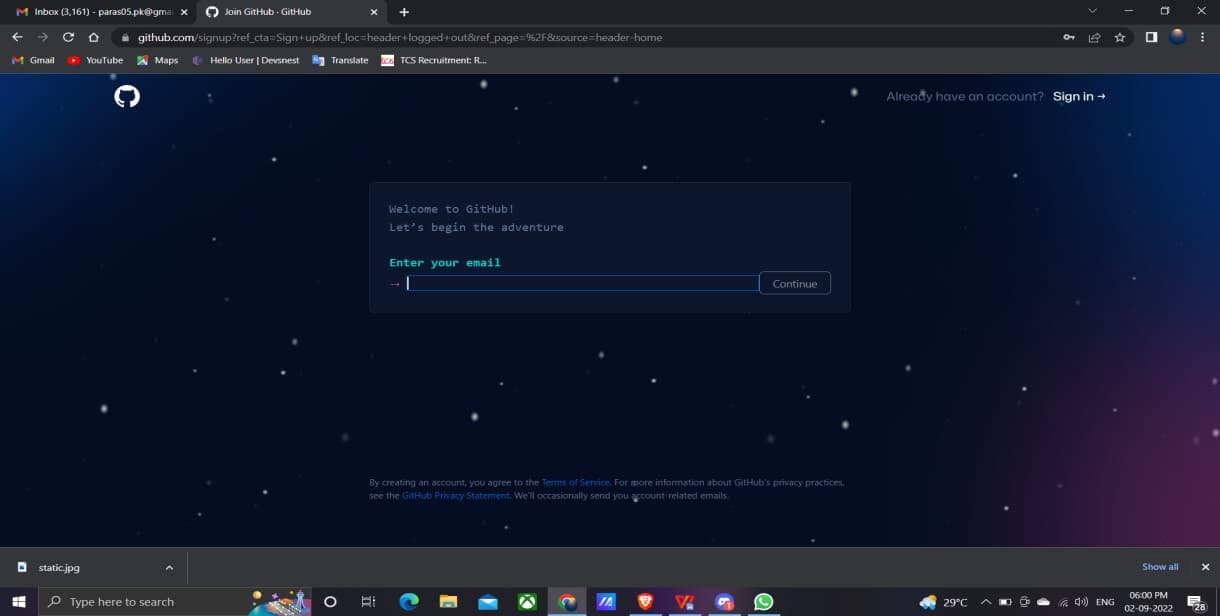
GitHub is an code Hosting Platform which is used for Collaboration and Version Control, you can Host and review code, manage projects and build software along with Team Members.

Netlify
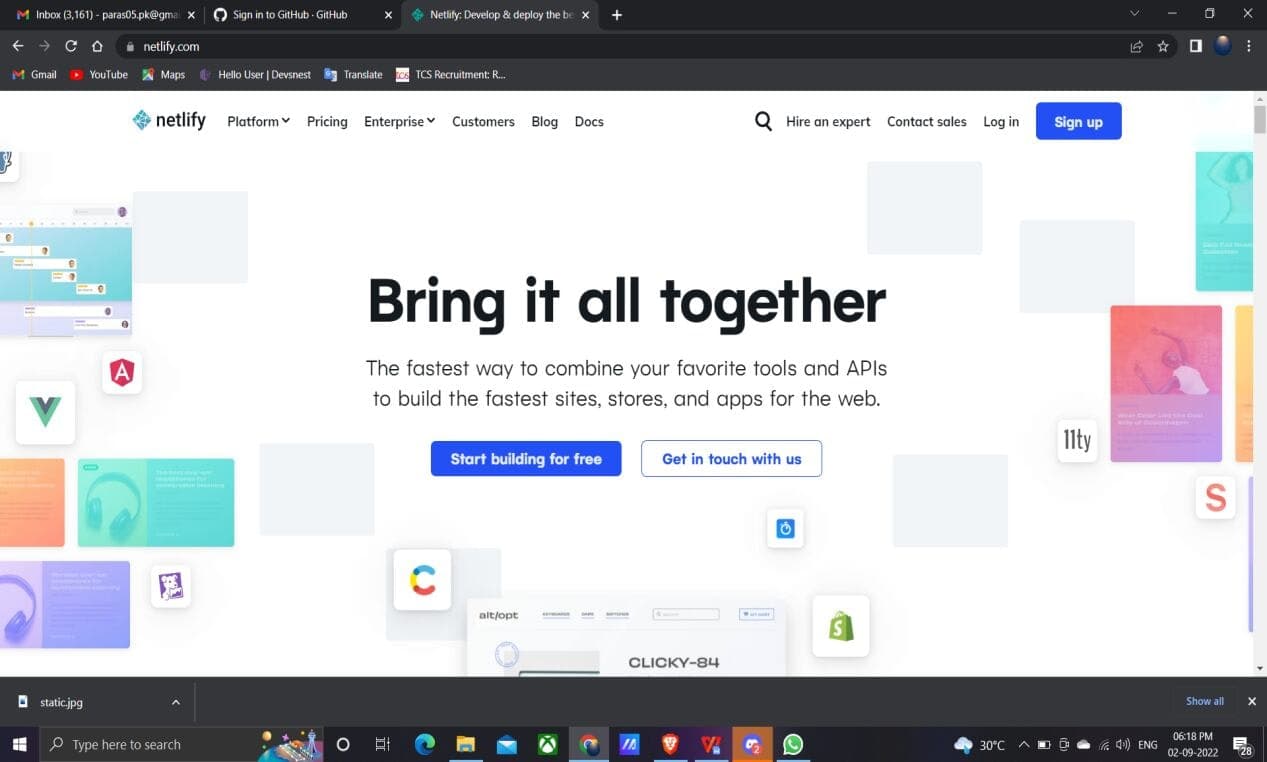
Netlify is websites which provides Hosting and serverless backend. Netlify is the most Fastest way to build the Fastest Websites. Is the platform for developer for building highly-performance and Dyanmic Websites , E-commerce and web applications.
Firebase
Firebase is a mobile app platform powered by Google which is used to develop web application OR Grow apps .

How Your Static Website With GitHub In Just 3 Steps :
- Create a repository in your GitHub Account.
- Upload all files of your project to that repository.
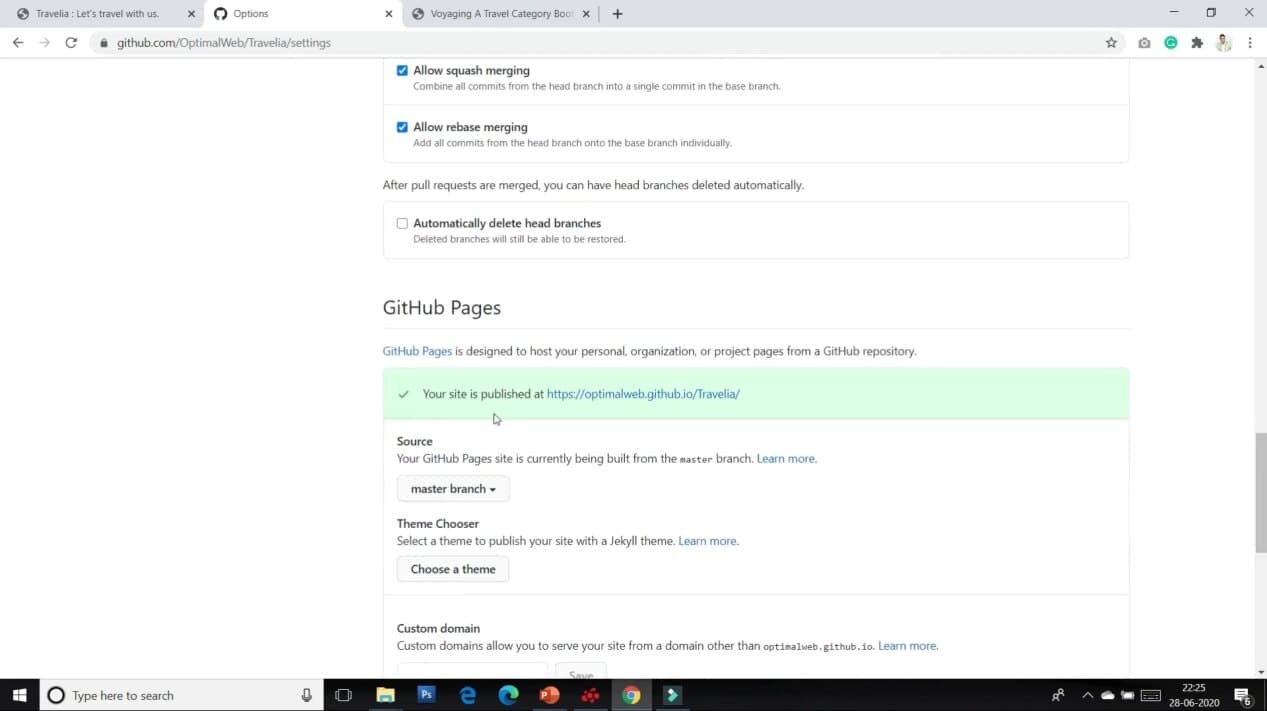
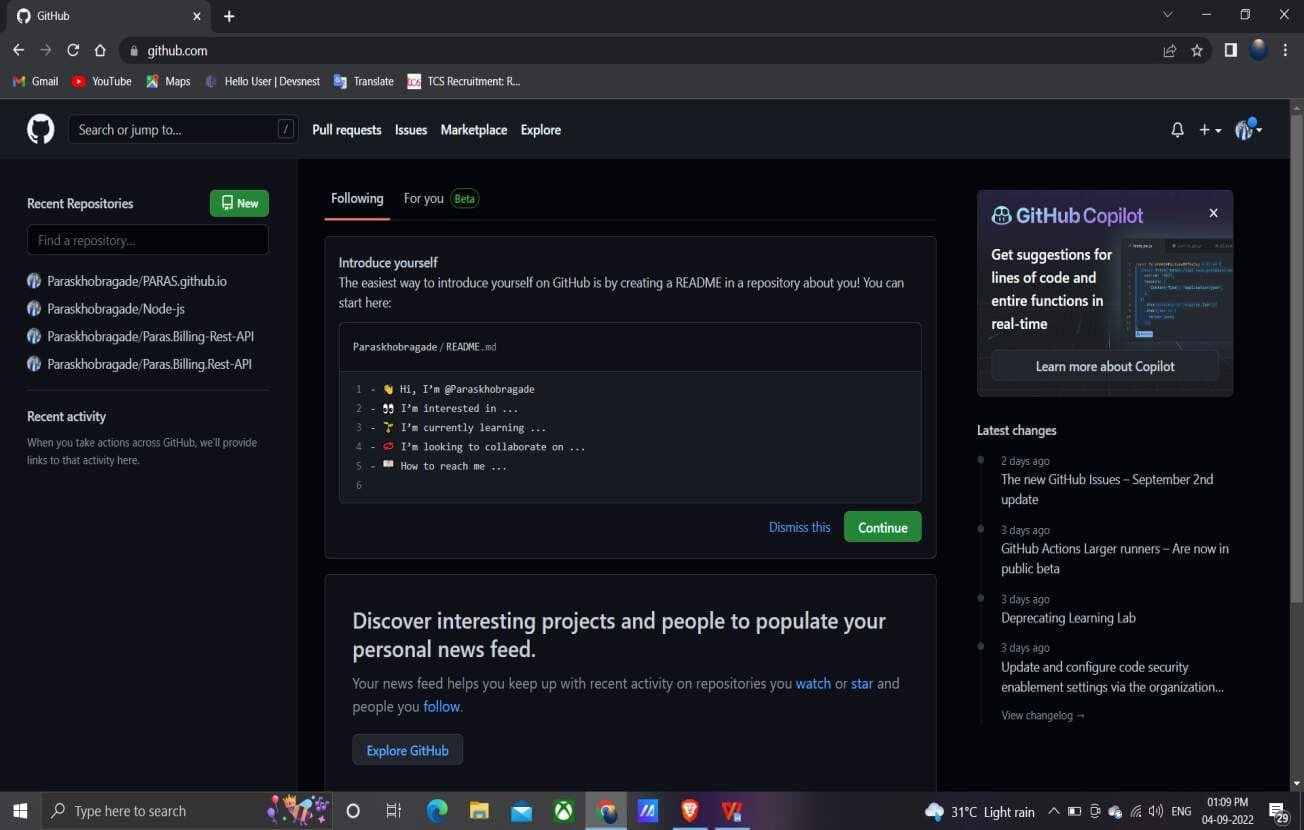
- Go to the settings of that particular repository to the GitHub pages section and set to Master Branch1] GitHub page after Sign up//Sign in :
2] How to Create Repository on Your GitHub Account Steps follows:
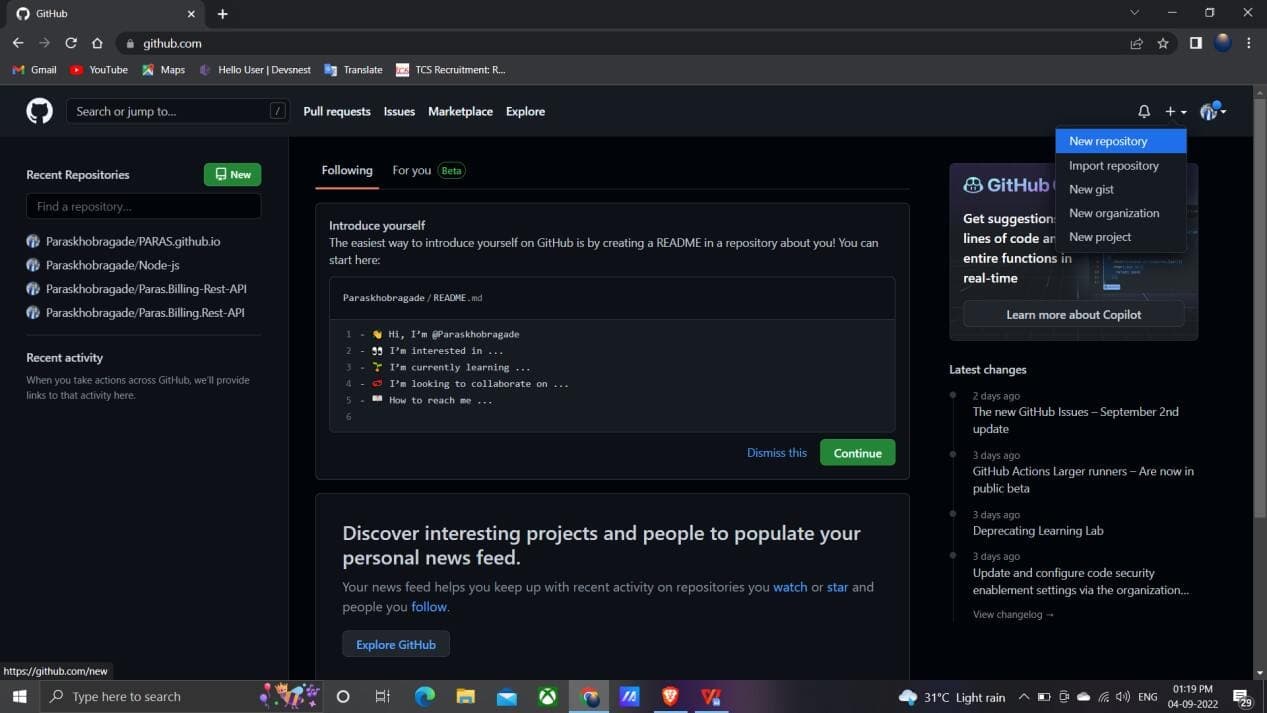
- Go to Right Side Top corner, Click on+symbol . Click on New repository.
- Give a Repository name As per your project,write description about your project , set as Public OR Private , ADD one README file ,then leave as it as default
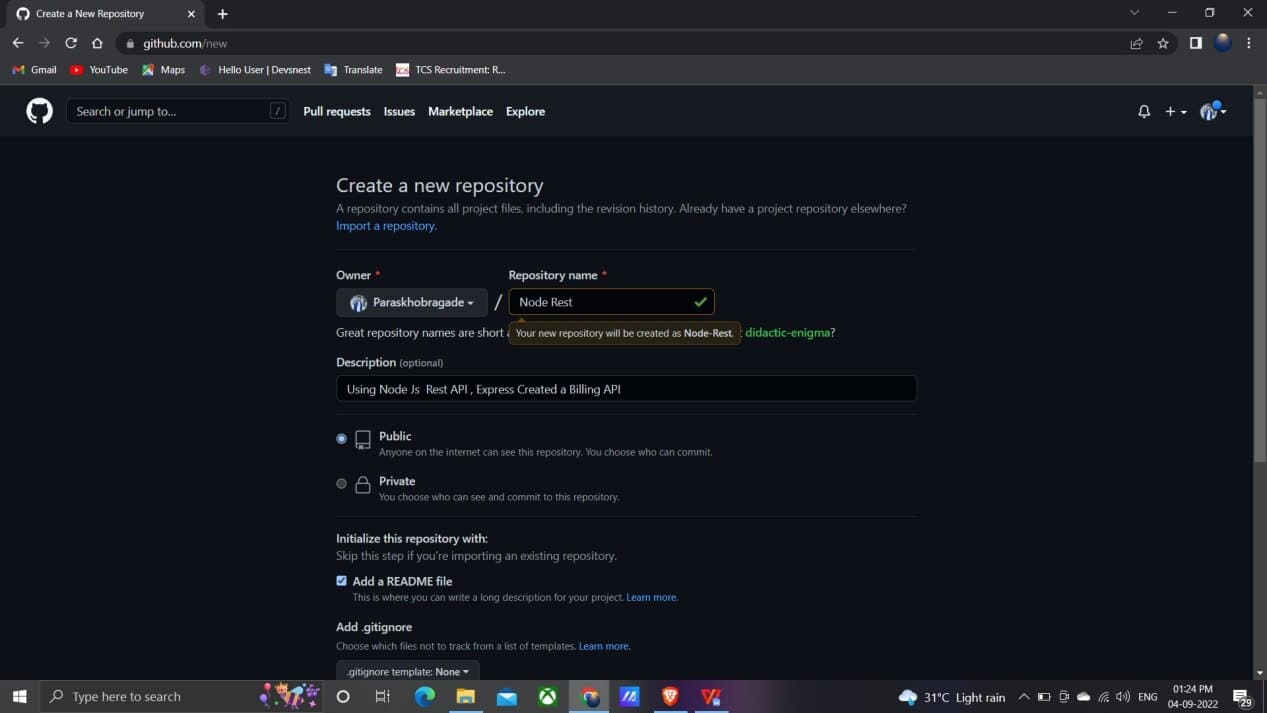
- Go to Bottom , Click on Create repository

- Successfully Created Repository
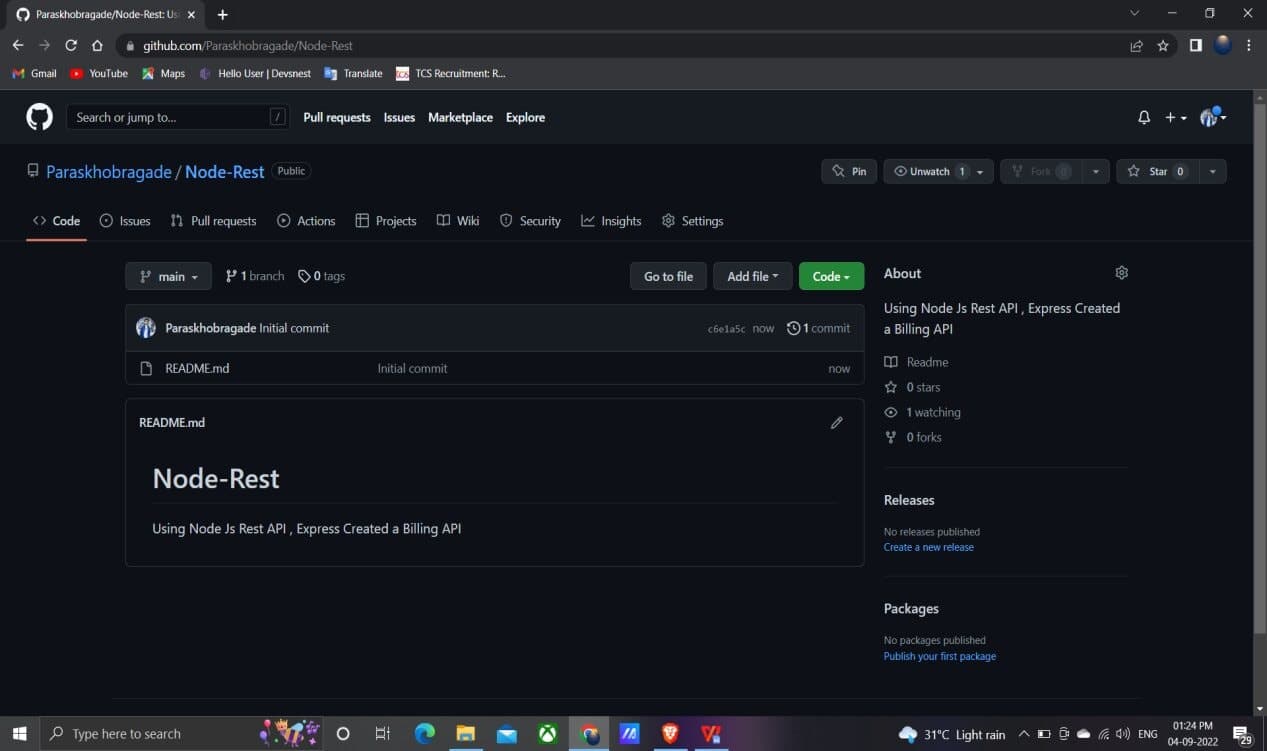
3] Upload all files of your project to that repository.
- Click on Add file , Go to upload file
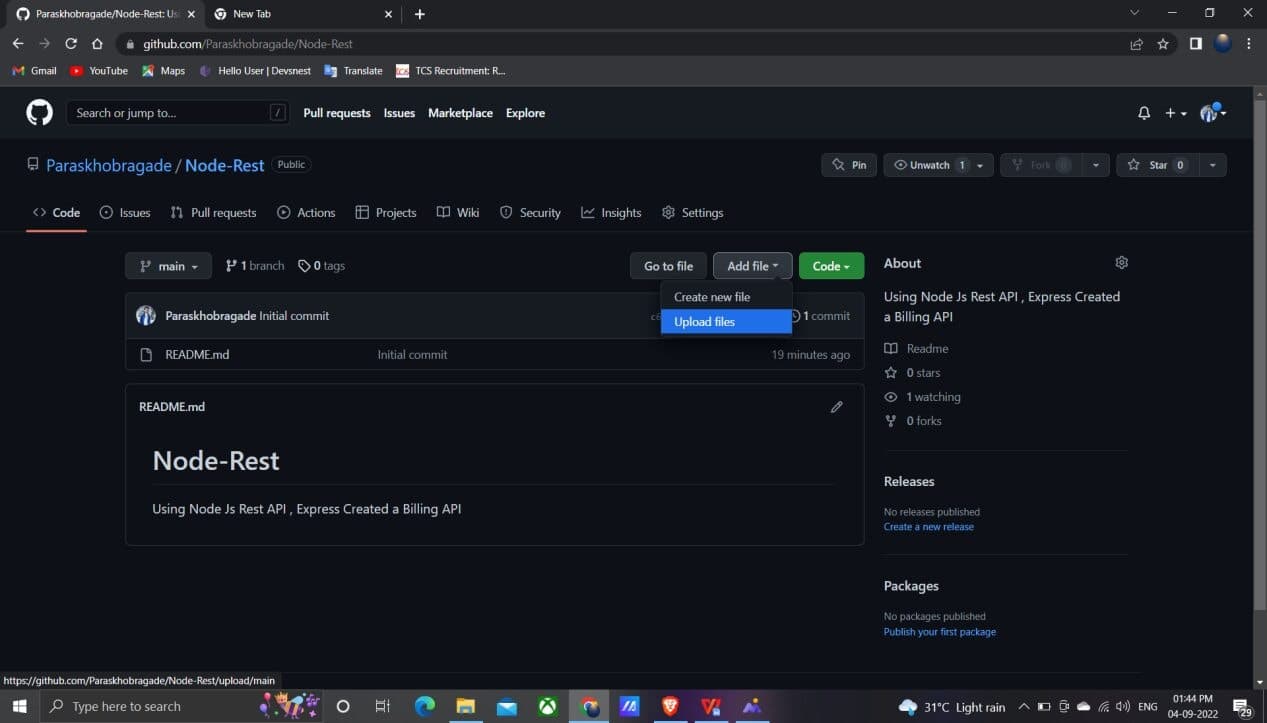
● Go to choose your files
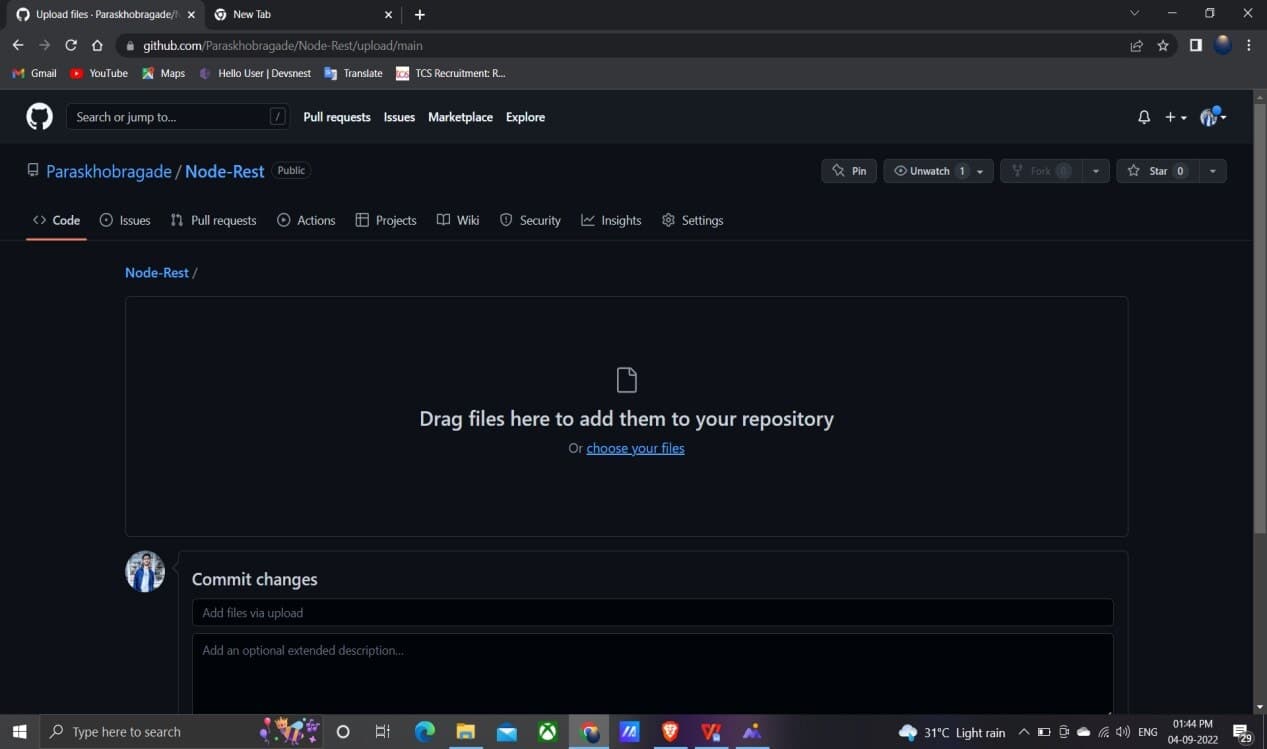
- Select project folder, Select all files And upload.

- Go to Bottom and Commit changes .

4] Go to the settings of that particular repository to the GitHub pages section and set to Master Branch
- Go to Settings .
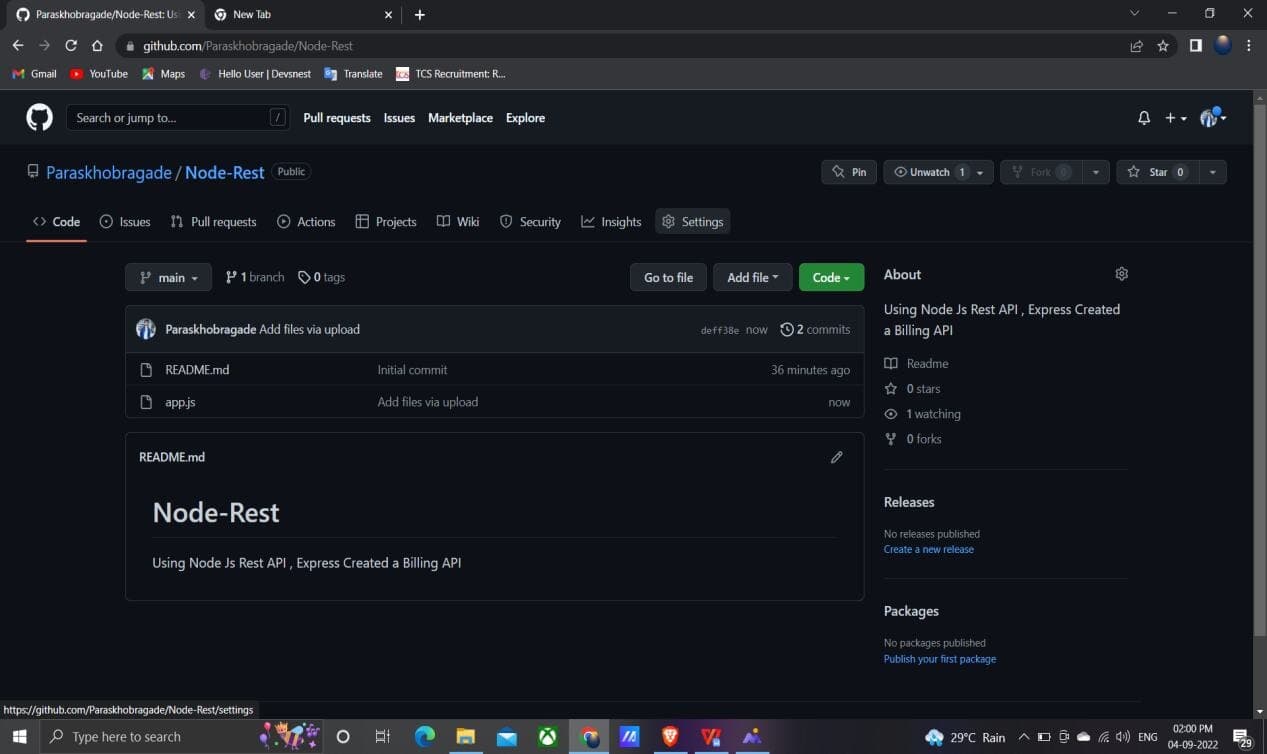
- Scroll down , Go to GitHub pages Section then set as Master branch

- Refresh the Page ,Again go to Settings and then GitHub pages there you can see your GitHub Link.